OpenAI Launches Codex App for Windows
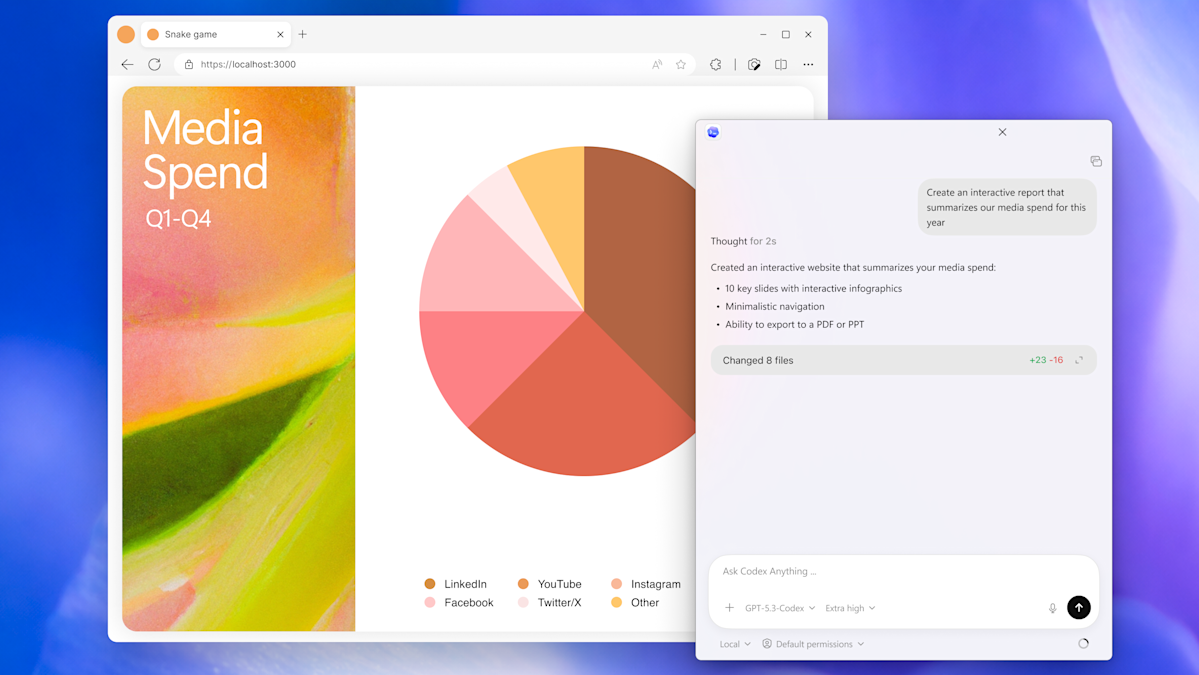
Key Points
- OpenAI released a dedicated Codex coding app for Windows.
- The app allows coordination of multiple AI coding agents on a single task.
- Automation features streamline repetitive tasks such as bug testing.
- A "Skills" hub bundles instructions, resources, and scripts for customized workflows.
- Native sandboxing provides an isolated environment for secure coding.
- Session history syncs across devices, enabling seamless cross‑platform work.
- Available to all ChatGPT subscription tiers, including Free, Go, Plus, and Pro.
OpenAI has introduced a dedicated Codex coding app for Windows, extending the capabilities that were first rolled out on macOS. The new Windows version lets users coordinate multiple AI coding agents, automate routine tasks such as bug testing, and leverage a "Skills" hub that bundles instructions, resources, and scripts. Native sandboxing helps developers feel secure, while session history syncs across devices for seamless workflow continuity. The app is available to all ChatGPT subscription tiers, including Free, Go, Plus, and Pro users.
Background
At the start of February, OpenAI upgraded its Codex coding app to give it the ability to manage multiple AI agents. Earlier, the company had released a standalone version for macOS, offering developers a new way to interact with AI‑assisted coding tools.
New Features for Windows
The Windows release mirrors the macOS experience while adding several enhancements. Users can now coordinate multiple coding agents to work on the same task, allowing a collaborative AI workflow that can handle complex projects more efficiently. Automation support enables the app to streamline repetitive activities such as bug testing, reducing the manual effort required from developers.
One of the highlighted additions is the "Skills" section. This hub bundles together instructions, resources, and scripts that the software can use to connect agents to specific tools and workflows. By organizing these elements in a single location, developers can quickly customize the AI’s behavior to suit their particular development environment.
Security and Cross‑Platform Continuity
OpenAI has incorporated native sandboxing into the Windows app, providing an isolated environment that helps developers feel secure while testing code. Session history is saved directly to each user’s OpenAI account, meaning work started on a Mac can be resumed on a Windows machine without loss of progress. This continuity underscores the company’s focus on a seamless, cross‑platform development experience.
Availability and Access
The Codex app for Windows is available to all tiers of ChatGPT users, including Free, Go, Plus, and Pro subscriptions. By making the tool accessible across the full spectrum of users, OpenAI aims to broaden the adoption of AI‑enhanced coding practices among both hobbyists and professional developers.
Implications for Developers
With the introduction of a Windows‑specific Codex app, developers now have a unified AI coding assistant that works across the two most common desktop operating systems. The ability to manage multiple agents, automate routine tasks, and leverage a curated set of skills positions Codex as a versatile addition to modern software development toolchains.