Gemini urges users to sharpen AI image prompts with concrete details
Key Points
- Gemini AI tweeted that precise prompts yield better images.
- Users are adding composition, aspect ratio, lighting, and text details.
- Specifying ratios like 16:9 or 4:5 improves framing and reduces cropping issues.
- Lighting cues such as "golden hour" or "Rembrandt" create cinematic mood.
- Explicit text instructions (font, color, placement) produce clearer lettering.
- Early experiments show noticeable quality gains with just a few added details.
- Creators can ask Gemini for prompt suggestions to fine‑tune results.
After a tweet from Google’s Gemini AI highlighted the need for more specific image prompts, users are experimenting with detailed instructions to boost the quality of generated visuals. The advice calls for defining subject, composition, aspect ratio, lighting, camera settings and precise text placement. Early adopters report sharper composition, realistic lighting and clearer text when they follow the guidelines, marking a shift from generic descriptions to cinematographer‑style direction.
Google’s Gemini AI sparked a conversation on X this week when it reminded users that vague prompts yield only “decent” results. The tweet urged creators to be more precise, prompting a wave of experimentation among those who rely on the platform’s Nano Banana image generator.
One longtime user, who has been favoring Nano Banana over competing tools since its launch, says the advice resonated. “I’d been sticking to simple descriptions,” the user wrote, noting that generic phrasing like “a fluffy orange cat playing with a ball in a watercolor style” often lands in the middle of the quality curve.
Gemini’s checklist expands the prompt beyond subject and style. It recommends adding composition and aspect‑ratio cues, camera and lighting details, explicit text instructions, factual constraints and reference inputs. While not every element is required for every image, the author found three categories that consistently lifted the output.
Define the frame with composition and aspect ratio
Specifying the frame eliminates the AI’s guesswork about cropping. Users who add ratios such as 16:9 for landscape, 4:5 for portrait or 3:4 for variation notice a more intentional feel. Shortcuts like “--ar 16:9” speed the process, and labeling the final use—say, a poster— helps Gemini tailor the composition.
Think like a cinematographer with lighting and camera details
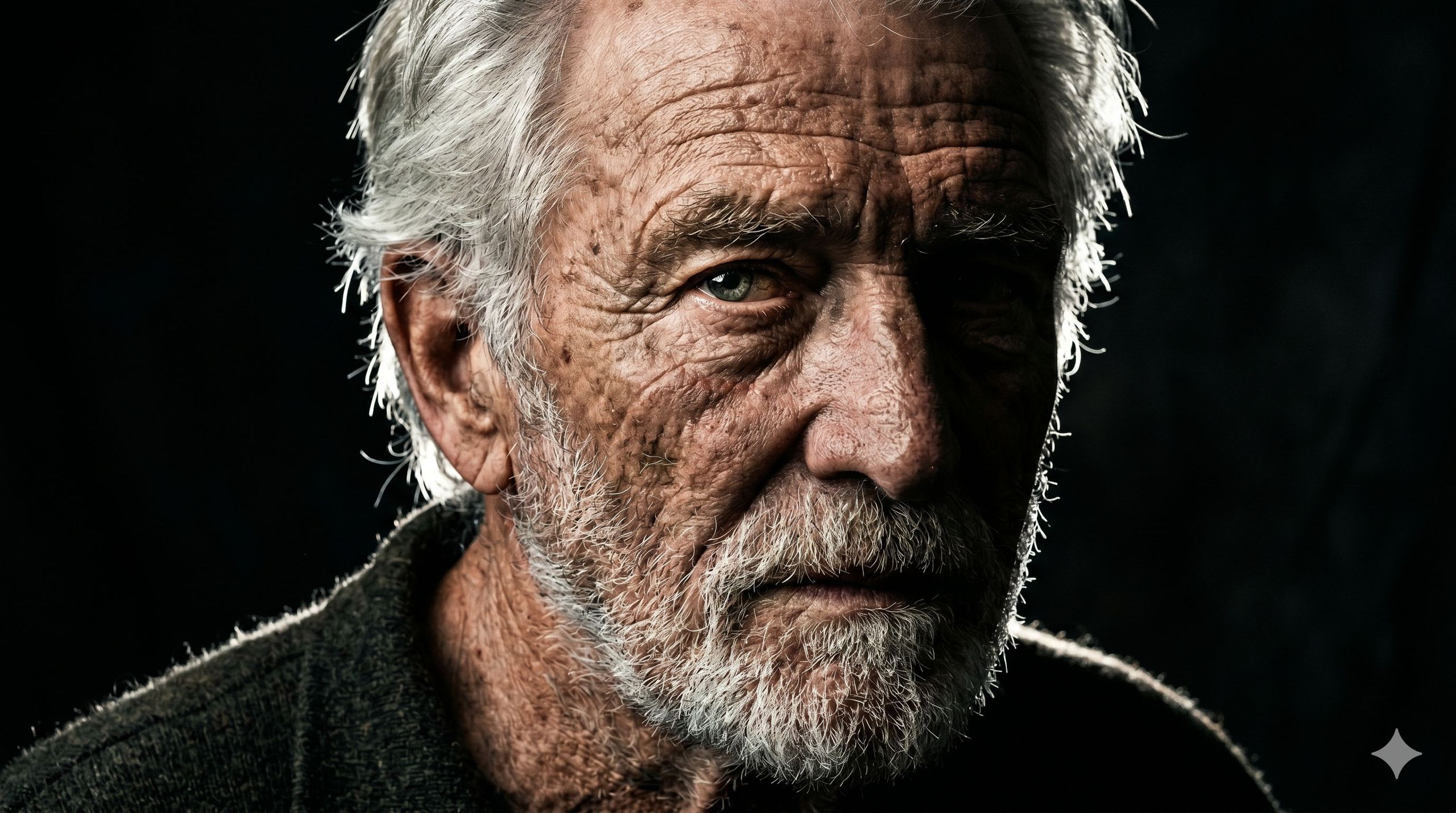
Lighting cues dramatically change mood. Phrases like “golden hour backlighting creating long shadows” or “Rembrandt lighting with deep shadow contrast” guide the generator toward cinematic realism. One test prompt reads: “A close‑up portrait of an elderly man with weathered skin, Rembrandt lighting with a deep chiaroscuro effect, one side of the face in heavy shadow, sharp rim light catching the silver hair, 8k resolution, highly detailed textures, --ar 16:9.” The result resembles a deliberately shot photograph rather than a generic AI rendering.
Control the text instead of hoping for the best
When text appears in an image, vague directions lead to unreadable or misplaced lettering. Explicit commands—what the text says, its font, color, size and placement—produce cleaner results. An example prompt instructs: “The headline ‘URBAN EXPLORER’ rendered in bold, white, sans‑serif font at the top.” Another expands the instruction for a product shot: “A premium black cotton T‑shirt flat‑lay on a grey concrete background. The headline ‘URBAN EXPLORER’ is rendered in a bold, white, sans‑serif font centered on the chest. Soft top‑down studio lighting with subtle shadows to show fabric texture. High resolution, minimalist aesthetic, --ar 16:9.”
Overall, the community’s early feedback suggests that layering in just one or two of these details can noticeably improve output. Users are encouraged to ask Gemini for prompt refinements, turning the AI into a collaborative partner rather than a black box.
As generative image tools become more mainstream, the push toward specificity may shape how creators approach AI art, blending human intent with machine capability for results that feel both intentional and polished.