Anthropic Unveils Interactive Visual Feature for Claude AI Chatbot
Key Points
- Claude now creates interactive HTML/SVG visualizations within chat.
- The feature automatically decides when a visual is helpful or responds to user prompts.
- Available in beta for all plan types on web and desktop platforms.
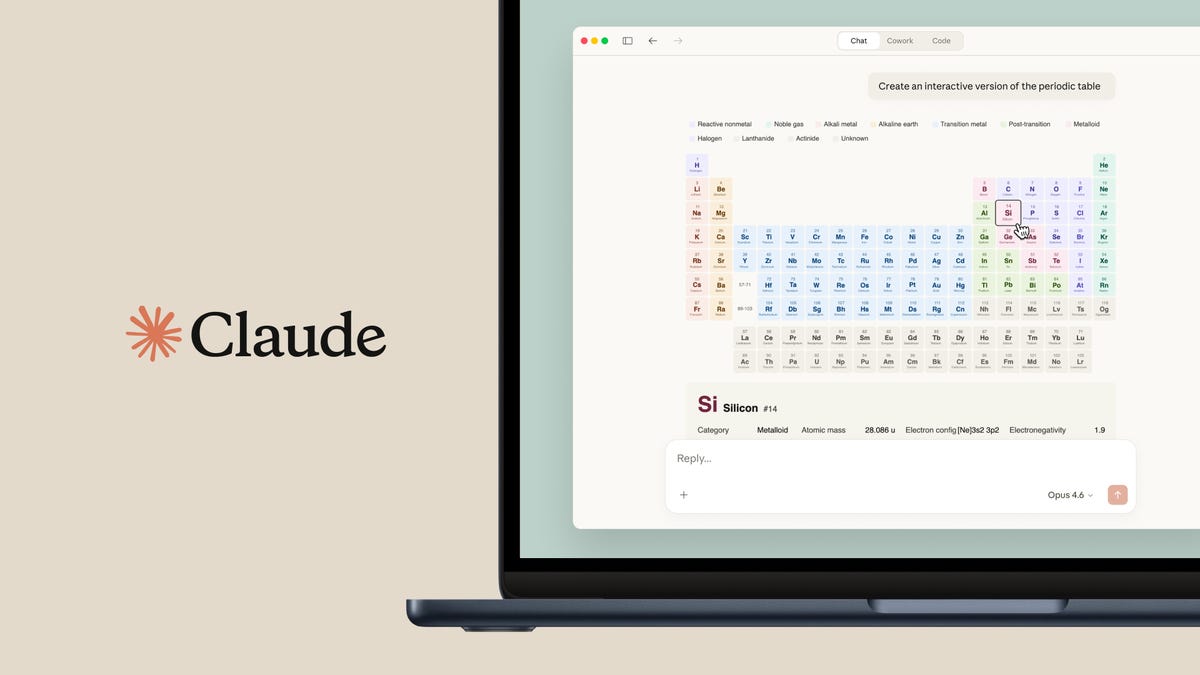
- Examples include step‑by‑step tire‑changing guide, clickable periodic table, and paper‑airplane tutorial.
- Visuals can be downloaded or saved for future reference.
- Anthropic frames the tool as a dynamic alternative to traditional text answers.
Anthropic has introduced a new beta feature that lets Claude generate interactive visualizations—HTML and SVG diagrams—directly within chat. The tool aims to replace dense text with clear, on‑demand graphics, helping users grasp complex steps such as changing a tire or exploring a periodic table. Available on web and desktop for all plan types, the feature automatically creates clickable visuals when appropriate or when users request them, offering a more dynamic conversational experience.
New Visual Feature Overview
Anthropic announced a beta‑stage capability for its Claude chatbot that creates interactive visualizations on the fly. Rather than producing static images, Claude generates HTML and SVG files that function as a whiteboard‑style illustration, complete with clickable elements and detailed explanations. The system evaluates each conversation to decide whether a visual aid would enhance understanding, or it responds to explicit user requests for graphics. This feature is enabled by default for all users, works on web and desktop platforms, and is accessible across every subscription tier.
User Experience and Impact
In testing, Claude demonstrated the feature by walking a user through the steps to change a car tire. Within seconds, the chatbot displayed a seven‑step interactive illustration, highlighting required tools and key actions. The visual was not highly detailed but effectively conveyed the process, giving users confidence to perform the task. Additional examples included a clickable periodic table and a step‑by‑step paper airplane tutorial, showcasing the range of possible applications.
Beyond educational tutorials, the visual tool can render complex concepts such as a house façade from a book, where each window or door can be selected to reveal additional information. Users can download or save these artifacts for later reference. While the feature does not function as an image generator, its ability to produce on‑demand, interactive diagrams offers a "wow" factor that may be more valuable in contexts where clarity and interactivity are paramount.
Anthropic positions this development as part of a broader push to make Claude a more dynamic AI assistant, capable of selecting the most suitable medium—text, image, or interactive visual—to answer a query. By integrating visualizations directly into the chat flow, Claude aims to reduce reliance on lengthy text blocks and improve overall user comprehension.